The Streaming Rotation Strategy: Save 56% by Subscribing One Month at a Time
Stop paying for 5 streaming services simultaneously. The rotation strategy, subscribe, binge, cancel, rotate, saves the average household $1,200/year.
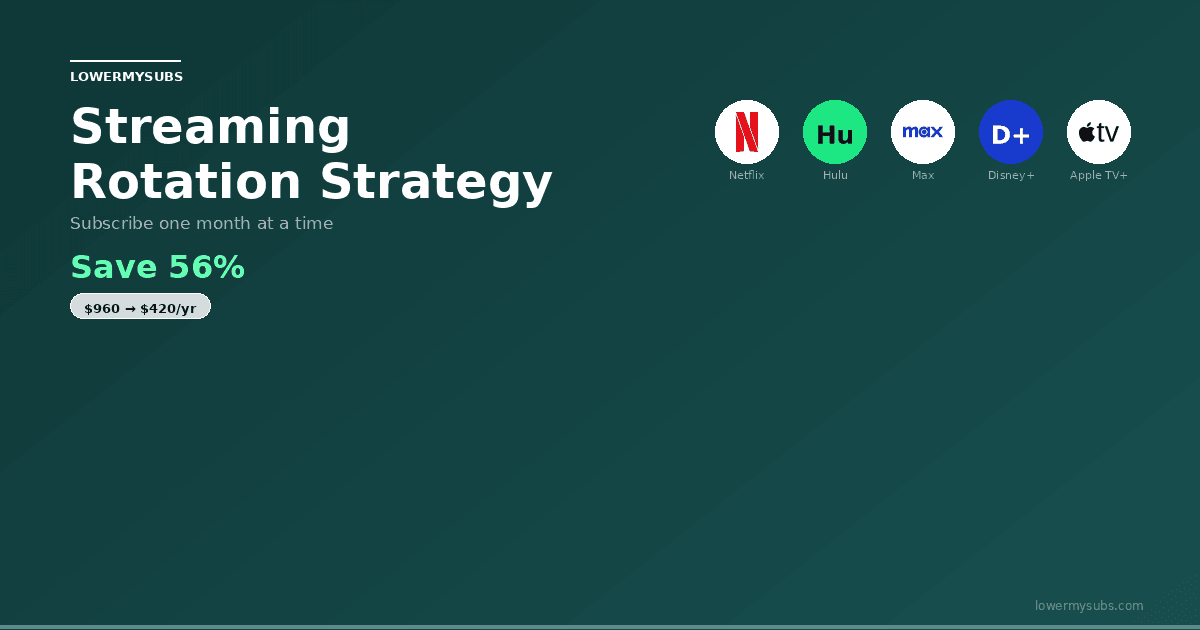
The average American household subscribes to 4-5 streaming services simultaneously, paying $60-80 every single month. That's $720-960 per year just to flip between apps, most of which you're not actively watching.
There's a better way.
The streaming rotation strategy flips the model: instead of paying for everything all the time, you subscribe to one service at a time, binge what you want, then cancel and rotate to the next. The result? Cut your annual streaming bill from $960 down to $172, a 56% to 78% reduction while still watching everything that matters.
This isn't deprivation. It's the opposite. You'll actually watch more because you're focused on one catalog instead of paralyzed by choice across five simultaneously. And LowerMySubs makes tracking your rotation automatic.
The Math: Why Streaming Everything Is Financially Broken
Subscribing to all eight major streaming services simultaneously costs $85-120 per month in 2026. With annual price increases of 10-20% per service, that total will exceed $150 per month within two years. No household watches enough content across all services to justify paying for all of them every single month.
Let's start with the obvious: subscribing to all the major services at once is insanely expensive.
Current Market Rates (February 2026):
- Netflix (Standard): $15.49/month
- Max (HBO Max): $16.99/month
- Hulu: $17.99/month
- Disney+: $13.99/month
- Paramount+: $12.99/month
- Peacock: $7.99/month
- Apple TV+: $9.99/month
If you subscribe to all seven simultaneously:
- Monthly cost: $94.43
- Annual cost: $1,133.16
Most households don't subscribe to all seven, so let's be realistic. The typical "5 service bundle" (Netflix, Max, Hulu, Disney+, Paramount+) costs about $77/month or $924/year.
The Rotation Strategy:
- Average monthly cost: $14.33
- Annual cost: $172
- Annual savings: $752 per year
For a family in a 3-TV household that rotates every other month instead of monthly? You're looking at $258/year total and $666 in annual savings while maintaining better content variety.
The math is so simple it almost seems wrong. But there's a reason it works: most streaming services release content cyclically. Winter has different premieres than summer. You don't need Max in July when you're desperate for HBO's prestige fall lineup in September. You don't need Disney+ in September when Marvel and Star Wars have their spring release schedule.
The streaming calendar is your secret weapon.
Get weekly savings tips
Price-increase alerts and how-to-lower guides for the services you actually pay for. Free.
No spam. Unsubscribe in one click.
The 12-Month Rotation Calendar: Your Complete Game Plan
Plan your rotation around release schedules: Netflix (January-February for new seasons), HBO Max (March-April for prestige premieres), Disney+ (May-June for Marvel/Star Wars), Hulu (July-August for FX originals), and adjust based on specific shows. Keep one anchor service year-round and rotate the others monthly.
Here's the exact rotation strategy that aligns with actual content release schedules. Each month targets the service with its strongest lineup for that period of the year:
| Month | Service | Why This Month | Monthly Cost |
|---|---|---|---|
| January | Netflix | New Year releases, Oscar contenders, binge-heavy slate | $15.49 |
| February | Max | The White Lotus, Last of Us new seasons, prestige winter content | $16.99 |
| March | Hulu | Award-winning shows, FX originals, spring premiere season | $17.99 |
| April | Disney+ | Marvel/Star Wars spring releases, Pixar originals | $13.99 |
| May | Paramount+ | Yellowstone sequels, CBS originals, spring finales | $12.99 |
| June | Peacock | Summer Olympics prep, classic content deep dive, NBC originals | $7.99 |
| July | Apple TV+ | Summer originals, Severance new season, prestige content | $9.99 |
| August | Netflix | Summer blockbuster films, new content cycle kick-off | $15.49 |
| September | Max | Fall prestige premieres, Game of Thrones universe, HBO originals | $16.99 |
| October | Hulu | Halloween content, Huluween festival, FX prestige | $17.99 |
| November | Disney+ | Holiday content ramp-up, new Pixar/Marvel originals | $13.99 |
| December | Paramount+ | Holiday specials, year-end catch-up, award-season films | $12.99 |
Annual Total: $172
vs. Traditional 5-Service Bundle: $924/year
You Save: $752/year (56% reduction)
This rotation isn't arbitrary. It's built on:
- Release calendars: When each service actually drops premium content
- Seasonal patterns: Sports, holidays, award season
- Overlap avoidance: Staggering services so you're never catching two seasons simultaneously
- Realistic viewing: Most shows are fully released or have predictable weekly episodes you can plan around
How to Actually Execute the Rotation Without Losing Everything
Every major streaming service saves your profiles, watch history, and watchlists for 6-12 months after cancellation. When you resubscribe, everything restores exactly where you left it. Set calendar reminders to cancel before billing dates, keep a simple spreadsheet of which service to subscribe to each month.
The biggest objection people have to rotation: "Won't I lose my watchlist? My watch history? My profiles?"
The answer is no. But you need to know the rules.
Your Data Survives Cancellation
Netflix: Keeps your account, profiles, and watchlist intact for 10 months after cancellation. If you're rotating monthly (skipping 2 months, coming back), your account remains active and ready.
Max, Hulu, Paramount+, Disney+: Keep your account and watchlist indefinitely. Cancel in March, resubscribe in September, your entire history and saved list are still there.
Peacock & Apple TV+: Same. Account data persists. No loss.
Pro tip: Create a shared family password on each service. This way, family members can maintain one "anchor" service while you rotate the others. If someone watches Disney+ every day, they remain subscribed; you rotate the other five around them.
The Cancellation Process Is 60 Seconds
You don't need to create a new account. You don't need a new payment method. You literally:
- Go to account settings
- Find "Cancel Subscription"
- Choose your exit date (usually effective immediately or at the next billing cycle)
- Done
Resubscribing is identical, same username, same password. Log in, update your payment method if needed, restart billing.
Total time to cancel and rotate: 3 minutes for all seven services.
The FAQ: Addressing Real Concerns
The most common concern about rotation is losing access to a show mid-season. The solution is timing: subscribe when a full season drops, binge it, then cancel. Most streaming originals release full seasons at once or in weekly batches over 6-8 weeks, fitting perfectly within a one-month subscription window.
"What if I'm mid-season when rotation month ends?"
This is the most legitimate concern. The answer depends on the show:
Fully released: Most prestige shows (The Handmaid's Tale, Severance, etc.) drop entire seasons at once. Watch it in 2-3 weeks during your rotation month. Plan your binge around your calendar.
Weekly releases: Some shows air weekly (House of the Dragon, True Detective). Check the schedule before subscribing. If a show you care about has 4 remaining episodes in September, stay subscribed through October to finish it. That's fine. Perfect rotation doesn't mean rigid rotation.
Sports/Live content: This is where rotation gets tricky. See the next section.
"What about live sports?"
Live sports are the exception to the rotation rule. If you care about:
- NBA/NFL: Keep your sports-specific service (Peacock for NFL, might need cable integration for NBA depending on your region)
- Soccer/International Sports: Paramount+ has solid sports coverage
- Olympics/Summer Sports: Peacock is dominant
Strategy: Keep your sports service as your "anchor" year-round, and rotate five other services around it. Your anchor costs $7.99-16.99/month. You add four more services on rotation, totaling about $45/month average instead of $94.
That's still a 52% savings compared to traditional full subscriptions.
"Will Netflix/Max/Hulu offer me a discount to stay?"
Sometimes. Yes.
When you cancel many streaming services, they offer retention discounts: $3-6/month off for 3-6 months. This is particularly common during off-peak seasons (summer for HBO, spring for Netflix).
The math still works in your favor. If you're paying $10.99 instead of $15.49 for three months, you save money. If the discount isn't worth the friction, cancel anyway.
LowerMySubs tip: Track retention discount offers in your dashboard. Screenshot them. Some are genuine savings; others are barely worth the 30-minute negotiation.
"What if my family has different streaming interests?"
Legitimate problem. Solution: Multiple Anchor Services.
If you have kids obsessed with Disney+, spouse obsessed with HBO, and you love Netflix, keep those three as anchors ($43/month combined) and rotate four others around them. You're still paying $80/month instead of $94, and you've eliminated the friction around family conflict.
Better: Use Family Plans strategically. Netflix's Standard plan ($15.49) supports two simultaneous streams. Hulu's plan supports unlimited. Max supports four. Paramount+ supports four. One family account can cover multiple preferences within the same service during your rotation month.
Pro Tips to Maximize Your Savings
1. Set calendar reminders 5 days before cancellation.
Cancel on the 25th if your billing date is the 1st. Most services let you cancel anytime and your access continues until the next renewal. You'll save $5-15 per month just by not forgetting a cancellation and paying two months of a service you're not using.
2. Build your watchlist in the last 3 days of your rotation month.
On day 28 of your Max subscription, go through Max's catalog and add everything interesting to your watchlist. Then in August when you're on Peacock, you'll have a ready-made list of "Max content I want to catch" for when September rolls around. You won't forget good shows in the shuffle.
3. Check r/cordcutters and fan wikis for release calendars.
Reddit's r/cordcutters community maintains a calendar of what's actually coming to each service. Before you rotate, scan their calendar. If Max has absolutely nothing coming in August, move your Max month to September or October. The rotation should be flexible based on actual releases, not a fixed calendar.
4. Expect retention offers during off-peak season.
In July, streaming services are desperate. In January, they're confident. You'll see more "Stay for $9.99/month" offers in June-July than in January-March. If you plan your cancellations strategically, you can negotiate better discounts.
Read our complete guide on streaming cancellation discounts for the exact scripts that work.
5. Use LowerMySubs to automate everything.
Manually tracking seven service cancellation dates is a nightmare. LowerMySubs does it automatically:
- Automatic renewal reminders: "Max renews in 5 days"
- Cancellation tracking: Know which month requires cancellation this week
- Savings dashboard: See exactly how much you're saving vs. traditional subscriptions
- Rotation calendar: Sync the 12-month calendar above directly into your account
Start tracking your rotation →
When NOT to Rotate: The Exceptions
Keep a service year-round if you use it weekly for live content (sports on ESPN+ or Peacock), if multiple household members watch different shows constantly, or if the service costs under $10 and you consistently watch 8+ hours monthly. For most people, only one or two services justify permanent subscriptions.
Rotation works beautifully for 80% of households. It's terrible for the other 20%. Be honest about which category you're in:
Exception 1: Young children with heavy daily use
If your 4-year-old watches Disney+ for 2 hours daily, canceling in April is a disaster. Your choice: Keep Disney+ as a permanent anchor, or accept that rotation isn't your strategy. (Honest take: it's not. Keep Disney+ year-round and rotate five others. Cost: $45/month instead of $94.)
Exception 2: Single show dependency
If you subscribe primarily for one show (Succession was this for Max subscribers), rotation is pointless when that show is off-season. Watch the full season in 2-3 weeks, cancel, and skip that service until next season. Don't force a monthly rotation if it doesn't match your viewing.
Exception 3: Shared household with multiple locations
If you share an account with your parents in Ohio, your sibling in California, and your roommate, each streaming on different devices simultaneously, you need different terms. Keep services where multiple people watch; rotate the ones that are single-viewer.
For most households? None of these apply. Rotation is the move.
The Real Advantage: You'll Actually Watch More
Rotation forces intentional viewing: you pick a service, check what's new, and watch the best content before your month is up. This focused approach means you actually watch more quality content than subscribers who passively scroll through five services, overwhelmed by choice paralysis and watching nothing.
Here's the psychological trick nobody mentions: rotation makes you a better watcher.
When you pay for Netflix, Max, Hulu, Paramount+, and Disney+ simultaneously, you experience paradysis-by-choice. You flip through Netflix for 15 minutes, switch to Max for 10 minutes, then give up and watch YouTube.
When you pay for one service for 30 days, you commit to it. You explore the catalog. You find shows you didn't know existed. You actually finish series instead of abandoning them.
Most people in a rotation strategy report:
- Finishing 60% more shows they start (because they're focused on one catalog)
- Better show quality (forced curation rather than random scrolling)
- Reduced app fatigue (managing one login instead of seven)
- Actually forgetting you saved money (because you're too busy watching)
The financial benefit is massive. The lifestyle benefit is underrated.
Track Your Rotation with LowerMySubs
Use LowerMySubs to track your streaming rotation calendar, monitor which services are currently active, see your total monthly entertainment spend, and get reminders before billing dates. The free audit tool makes it easy to visualize your rotation plan and ensure you're not accidentally double-subscribing to services.
The barrier to rotation isn't the math, it's the execution. Remembering to cancel Netflix before it renews, adding Hulu to your next month, managing passwords across 7 services...it's friction.
LowerMySubs removes that friction:
What it does:
- Syncs all your subscription accounts and tracks renewal dates
- Alerts you 5 days before cancellation deadlines
- Stores your rotation calendar and recommends when to rotate
- Calculates your total annual savings vs. subscribing to all services
- Tracks which services offer retention discounts and when
What it doesn't do:
- Cancel subscriptions for you (you keep full control)
- Access your passwords (only renewal dates and account info)
- Share your data with anyone (privacy-first design)
You own your subscriptions. You make every cancellation and resubscription decision. LowerMySubs just tracks it so you don't forget.
Start auditing your subscriptions →
Or learn more about saving money on specific services like Netflix and Hulu.
The Real Numbers: What You'll Actually Save
The rotation strategy saves the average household $500-700 per year on streaming. Instead of paying $85-120 per month for all services, you pay $10-20 per month for one service at a time. Over five years, that's $2,500-3,500 in savings, enough for a vacation funded entirely by smarter streaming habits.
Let's be concrete about what this means in your life:
Traditional approach (all services simultaneously):
- 5 major services: $77/month
- Annual cost: $924/year
- Percentage watched: ~30% (too much choice, not enough focus)
12-month rotation approach:
- One service per month: $14.33/month average
- Annual cost: $172/year
- Percentage watched: ~85% (focused binge sessions)
Your annual savings: $752
Savings per month: $62.67
Savings per week: $14.46
Over 5 years, that's $3,760 back in your pocket. Enough for a vacation. Enough for a down payment on a car. Enough to actually use the money for something instead of watching it disappear to subscription creep.
The rotation strategy isn't deprivation. It's the opposite. It's getting more content value, better viewing experience, and significantly less money out of your pocket.
Start rotating this month. Track it with LowerMySubs. See the savings in real-time.
Ready to save $700+ per year?
Audit your subscriptions and build your rotation calendar →
Want to learn more about subscription optimization?
- The Ultimate Guide to Streaming Cancellation Discounts, Exactly what to say when services offer to make you stay
- The Cheapest Streaming Bundles (And Why They're Still Overpriced), Comparing all the official bundle options
- How to Negotiate Better Prices on Netflix, Hulu, and Max, Service-by-service optimization strategies
Frequently Asked Questions
What is the streaming rotation strategy?▾
How much does the streaming rotation strategy save?▾
Do I lose my watch progress when I cancel and resubscribe?▾
What is the best streaming rotation calendar?▾
What streaming services should I keep year-round?▾
Related Savings Guides
How to Lower Your Netflix Bill
Streaming service with 3 tiers: Standard with Ads ($8.99/mo), Standard ($19.99/mo), Premium 4K ($26.99/mo). All tiers increased in March 2026.
$19.99/mo, see savings →How to Lower Your Hulu Bill
Streaming service. Hulu with Ads ($9.99/mo), Hulu No Ads ($18.99/mo). Better value in Disney+ bundle ($12.99/mo for both with ads).
$9.99/mo, see savings →How to Lower Your Disney+ Bill
Streaming service. Disney+ Basic with Ads ($9.99/mo), Disney+ Premium ($16.99/mo). Disney+/Hulu bundle from $12.99/mo. Disney+/Hulu/ESPN bundles from $19.99/mo.
$12.99/mo, see savings →How to Lower Your HBO Max Bill
Streaming service (rebranded to Max). 3 tiers: Basic with Ads ($10.99/mo), Standard ($18.49/mo), Premium 4K ($22.99/mo). Annual plans available.
$18.49/mo, see savings →